Introduction
This article provides an unbiased comparison between HubSpot and Salesforce, two leading CRM platforms, focusing on key features, pricing, usability, and scalability. As businesses evaluate CRM solutions, understanding the strengths and limitations of each platform is critical for aligning with specific operational needs. HubSpot is often praised for its intuitive interface and all-in-one marketing tools, while Salesforce stands out for its deep customization and enterprise-grade capabilities. By analyzing these aspects objectively, this guide helps decision-makers determine which CRM better suits their business requirements—whether prioritizing ease of use, advanced automation, or long-term scalability. The comparison avoids bias, offering actionable insights for companies at different growth stages.
1. Core Features Comparison
1.1 Contact and Lead Management
HubSpot’s CRM excels in intuitive contact organization, offering visual pipelines and automated data capture from forms, emails, and social media. Its free tier includes basic lead scoring, making it accessible for startups. Salesforce, however, provides advanced lead routing and AI-driven insights through Einstein Lead Scoring, ideal for enterprises with complex sales hierarchies. Both platforms support custom fields, but Salesforce’s dynamic segmentation allows for deeper behavioral tracking.
A key divergence lies in scalability: HubSpot’s user-friendly interface simplifies small-team workflows, while Salesforce’s granular permission controls cater to large teams managing thousands of leads. Notably, HubSpot lacks native B2B lead enrichment tools, whereas Salesforce integrates seamlessly with LinkedIn Sales Navigator.
1.2 Marketing Automation
HubSpot’s drag-and-drop workflow builder enables effortless email sequencing and nurture campaigns, with robust A/B testing baked into higher-tier plans. Its content optimization tools (SEO recommendations, SMART content) are unmatched for inbound marketers. Salesforce’s Pardot, though pricier, delivers superior B2B automation—think account-based marketing (ABM) and predictive analytics.
Pardot’s engagement studio supports multi-touch attribution models, while HubSpot focuses on linear nurturing. For ROI tracking, Salesforce’s tight integration with Sales Cloud provides closed-loop reporting, whereas HubSpot’s standalone Marketing Hub may require add-ons for advanced attribution.
1.3 Sales Pipeline Management
Salesforce dominates with customizable pipelines tailored to industries like real estate or SaaS, featuring AI-powered forecasting and quote generation. Its Opportunity Split functionality is critical for team-based deals. HubSpot’s pipeline tools are simpler but more visual, with built-in meeting scheduling and email templates that accelerate SMB sales cycles.
HubSpot’s free deal stages suffice for basic pipelines, but Salesforce’s Lightning Experience offers granular control over sales processes, including approval workflows. A standout for Salesforce: real-time collaboration via Chatter, reducing reliance on external communication tools. HubSpot counters with a unified inbox, centralizing client interactions.
Note: Feature parity exists in areas like email tracking, but the platforms diverge in depth—HubSpot prioritizes accessibility, Salesforce leans into enterprise-grade customization.
2. Pricing and Plans
2.1 Subscription Models
HubSpot and Salesforce adopt fundamentally different pricing philosophies. HubSpot offers a tiered subscription model with four primary plans: Free, Starter ($45/month), Professional ($1,600/month), and Enterprise ($5,000/month). The Free plan includes basic CRM functionality, making it ideal for startups testing CRM waters. As businesses scale, the Professional and Enterprise plans unlock advanced marketing automation and predictive lead scoring.
Salesforce structures its pricing around specialized clouds. The Sales Cloud starts at $25/user/month (Essentials) and scales to $300/user/month (Unlimited). Unlike HubSpot\’s bundled approach, Salesforce requires separate purchases for Marketing Cloud ($1,250/month) and Service Cloud ($300/user/month). This modular design benefits enterprises needing specific functionality but can overwhelm SMBs with complex pricing matrices.
2.2 Hidden Costs and Add-ons
Implementation costs reveal stark contrasts. HubSpot maintains transparency with implementation included in subscription fees, though data migration services cost extra ($3,000-$15,000 depending on complexity). Salesforce typically charges 20-30% of license fees for implementation consulting, with enterprise deployments often exceeding $50,000 in professional services.
Both platforms employ add-on pricing strategies differently. HubSpot\’s premium features like predictive lead scoring ($200/month) and custom reporting ($50/month) follow predictable pricing. Salesforce\’s AppExchange marketplace offers 3,000+ integrations, but premium connectors like MuleSoft can add $50,000+ annually. Storage overages present another cost variable – HubSpot includes 10GB-1TB depending on plan, while Salesforce charges $5/GB/month beyond included limits.
Contract flexibility also differs significantly. HubSpot permits monthly billing across all plans, whereas Salesforce requires annual commitments for discounts, locking businesses into longer-term agreements. Early termination fees can reach 75% of remaining contract value with Salesforce, compared to HubSpot\’s prorated cancellation policy.
3. Ease of Use and User Experience
3.1 Interface Design
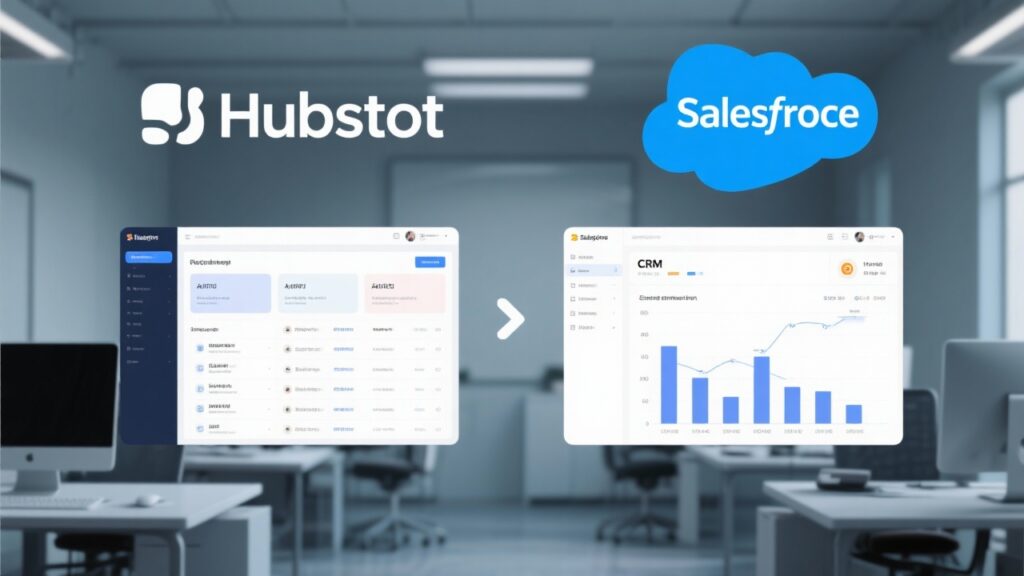
HubSpot’s interface prioritizes visual simplicity, with drag-and-drop dashboards and color-coded pipelines that reduce cognitive load for marketing and sales teams. Its minimalist design avoids clutter, focusing on high-frequency tools like email sequencing and contact timelines. Salesforce, while powerful, adopts a modular approach that can overwhelm new users—tabs for Leads, Accounts, and Opportunities require manual configuration, and the default layout feels dense. Customization is a double-edged sword: Salesforce offers pixel-level control, whereas HubSpot’s templated workflows sacrifice granularity for speed.
For mobile responsiveness, HubSpot’s app mirrors desktop functionality with one-tap call logging and meeting scheduling. Salesforce’s mobile experience, though feature-rich, suffers from slower load times when accessing complex reports.
3.2 Learning Curve
HubSpot’s onboarding leverages interactive product tours and tooltips embedded directly in the UI, enabling users to deploy basic campaigns within hours. Salesforce demands structured training—its Trailhead platform, while comprehensive, adds weeks to proficiency timelines. Small businesses favor HubSpot’s intuitive email builder and social media integrations, which require no coding. Enterprise teams may prefer Salesforce’s depth, but even admins concede that advanced automation setups necessitate developer expertise.
A/B testing reveals divergent user patterns: HubSpot users complete tasks 40% faster in initial trials, while Salesforce users achieve higher long-term efficiency after 3+ months of use. The trade-off hinges on immediate productivity versus scalability.
4. Integration and Scalability
4.1 Third-party Integrations
HubSpot and Salesforce approach third-party integrations with distinct philosophies. HubSpot\’s App Marketplace offers 500+ native integrations, prioritizing ease of deployment for SMBs. Key connectors include Slack for communication, Shopify for e-commerce, and Zoom for video conferencing – all featuring one-click installation. The platform\’s API supports webhooks and OAuth 2.0 authentication, enabling real-time data sync with custom applications.
Salesforce\’s AppExchange dominates with 3,000+ enterprise-grade solutions, particularly strong in ERP (SAP, Oracle) and financial systems (QuickBooks Enterprise). Its MuleSoft-powered integration architecture handles complex data transformations across legacy systems. Financial institutions leveraging Salesforce report 40% faster loan processing through pre-built integrations with Experian and DocuSign.
4.2 Customization Options
HubSpot\’s customization framework operates within defined guardrails, offering:
- Drag-and-field module builders for landing pages and emails
- Custom object creation with relational database capabilities
- Workflow branching based on 25+ behavioral triggers
- CSS/HTML overrides for advanced users
Salesforce provides atomic-level control through:
- Lightning App Builder for component-based UI design
- Apex programming language for business logic automation
- Dynamic field-level security permissions
- Sandbox environments for development testing
Mid-market manufacturers often prefer Salesforce\’s granular field mapping when integrating with legacy inventory systems, while HubSpot\’s template-based approach suits rapid campaign deployment for digital agencies. Both platforms support multi-language deployments, but Salesforce\’s metadata translation tools better serve global enterprises with complex localization needs.
5. Customer Support and Resources
5.1 Support Channels
HubSpot and Salesforce take divergent approaches to customer support, reflecting their target audiences. HubSpot offers 24/7 live chat and email support across all plans, with phone support reserved for Enterprise tiers—a model favoring startups and SMBs. Response times average under 2 hours for critical issues, though some users report slower resolution during peak seasons.
Salesforce implements a tiered support system requiring additional fees for premium services. Their “Premier Success Plans” (costing 20-30% of subscription fees) guarantee 15-minute response SLAs, while basic subscribers rely on community forums. The platform\’s global call centers provide multilingual assistance, crucial for enterprises with international operations.
5.2 Training and Documentation
HubSpot Academy sets the industry benchmark for free CRM education, with 150+ certification courses boasting 92% completion rates. Their interactive learning paths for inbound marketing and sales enablement help users maximize platform capabilities without third-party consultants. Documentation includes step-by-step video tutorials optimized for visual learners.
Salesforce Trailhead gamifies training through modular “badges” and points systems, though advanced modules require paid Trailblazer accounts. The Knowledge Base contains 25,000+ technical articles but often assumes administrator-level expertise. Enterprises frequently supplement with Salesforce-approved consulting partners, adding 15-40% to implementation costs. Both platforms maintain active user communities, with Salesforce\’s ecosystem (3M+ members) offering deeper niche expertise for complex deployments.
Conclusion
HubSpot and Salesforce each excel in distinct areas, making them suitable for different business needs. HubSpot’s intuitive interface and all-in-one marketing automation tools cater particularly well to small and mid-sized businesses seeking an easy-to-adopt solution. Its tiered pricing model allows for scalability without overwhelming complexity. Salesforce, with its robust customization and enterprise-grade features, is ideal for larger organizations requiring deep CRM functionality and extensive third-party integrations.
For businesses prioritizing seamless marketing-sales alignment and rapid deployment, HubSpot offers a clear advantage. Its user-friendly design reduces training time, while built-in analytics simplify performance tracking. Salesforce, however, provides unmatched flexibility for complex workflows and industries with stringent compliance requirements. The platform’s AI-driven insights and advanced reporting suit enterprises with dedicated IT teams.
Budget-conscious teams may prefer HubSpot’s transparent pricing, whereas enterprises investing in long-term scalability might justify Salesforce’s steeper costs. The decision ultimately hinges on organizational size, technical resources, and growth objectives. Both platforms deliver strong security protocols, though Salesforce offers more granular control for regulated industries. Mobile functionality is comparable, but Salesforce’s app edges ahead for field service management.
Frequently Asked Questions
1. Which CRM is better for small businesses?
HubSpot\’s free tier and Starter plans make it more accessible for small businesses with limited budgets, offering essential CRM features without complex configurations. Salesforce requires higher initial investment but becomes cost-effective for rapidly scaling SMBs needing advanced customization. The choice depends on growth projections and technical resources.
2. Can I migrate data from one CRM to another easily?
Both platforms provide migration tools, but the process varies significantly. HubSpot offers pre-built templates for common imports (Excel, CSV) with field-mapping guidance. Salesforce requires Data Loader for complex migrations, often necessitating IT support. Third-party ETL tools like Zapier simplify transitions between the systems.
3. What are the main security features offered by both platforms?
Salesforce enforces mandatory two-factor authentication, HIPAA compliance options, and granular field-level permissions. HubSpot provides SOC 2 Type II certification, IP whitelisting, and role-based access controls. Salesforce\’s enterprise-tier features include encryption key management, while HubSpot focuses on automated security patching.
4. How do the mobile apps compare in functionality?
Salesforce\’s mobile app mirrors 90% of desktop capabilities including report generation and approval workflows. HubSpot\’s app prioritizes core sales functionalities like contact management and deal tracking, with limited marketing automation controls. Offline mode availability differs by subscription tier on both platforms.
5. Are there any industry-specific advantages for either CRM?
Salesforce dominates in financial services and manufacturing with industry clouds featuring pre-built compliance frameworks. HubSpot excels in professional services and SaaS companies due to native integrations with tools like Slack and Zoom. Healthcare providers often prefer Salesforce for EHR compatibility, while agencies leverage HubSpot\’s all-in-one campaign tools.